I had my dad on my mind today, as most days. Pop lives far away in Texas, and I miss him very much. When I get a chance to visit him, which isn’t often enough, he always lets me take home stuff. My favorites are his wood carvings. Sometimes he carves then paints and sometimes he just carves. Although, I don’t think he carves or whittles at all any more and I am sure he misses it, so I thought I’d share a little of his work.
I have a mighty little viking that he whittled hiding in my colored pencil cup, keeping an eye out for children who borrow art supplies with no intention of putting them back. When my sweet Aunt Erma, my dad’s only sibling, passed away a few years ago, I visited her home and brought back this handsome lanky soldier that my dad carved for her some time ago. I think he is just beautiful and he makes me think of the love they always had for one another.This little horsey makes me smile.If he’s sitting at just the right height, he gives me a look kinda like my dad would. You know the look.Dad even gave him horseshoes and his own personal brand. And this head is very cool. When he gave it to me to take home, he expected me to paint it. I think about painting it all the time. I’ve thought about it for probably 8 years. Maybe making it into a puppet or something. But see the patching around the eyes? That’s where my dad replaced the eye sections and made them more to his liking than the original eyes he made. He puttied and sanded smooth the seams so perfectly that by only touch you would never ever know they had been replaced. I guess I just don’t want to hide what a great job he did of fixing them and think he’s perfect just the way he is. I think he even looks like my dad. And then there’s the sign he carved that I walk by a dozen times a day as it hangs on my daughter Jamie’s bedroom door. I adore it because my dad IS Popeye, right down to the big sailor tattooed forearms. I think for a quote that came from a cartoon character, it’s quite profound.I asked my dad if he would mind if I shared it with my readers, I think he was delighted. So I made it small enough for your sidebar. If you’d like to take it or the larger one, feel free.
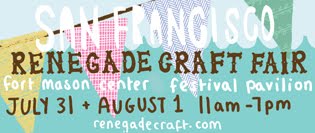
Very spontaneously, I drove into San Francisco on Sunday to attend another fabulous Renegade Craft Fair SF as our family’s weekend plans had changed and I was so excited to be able to make it. (Here is my review of last year’s fair.) This year was more of the same fabulous vendors and so many new ones as well. The goods were incredible and the displays simply awesome. Thankfully I remembered my camera again and was able to get some shots of the day’s favs.
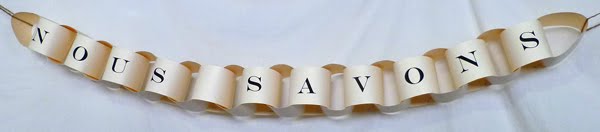
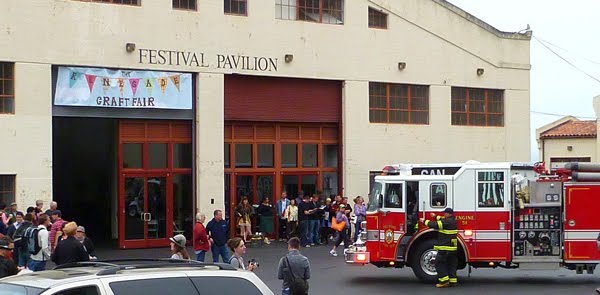
My very first photo was at the booth of Nous Savons. I love the beautiful simplicity of their paper chain signage. Just as the show started, I was having a nice visit with artist Lisa Cogdon, (you may know her by her very cool undertaking: A Collection A Day, 2010) and partner, Clay, when….the loud fire sirens went off and over the loud speaker everyone was asked to leave through the nearest exit as a fire had been reported in the building.That was about a 15 minute inconvenience and we were all back in as if nothing ever happened. I’m not sure what really did happen, but I think one of the food vendors had a minor kitchen incident. Oh well, the smaller kids seemed to really enjoy the fire trucks, so that was actually a bonus.
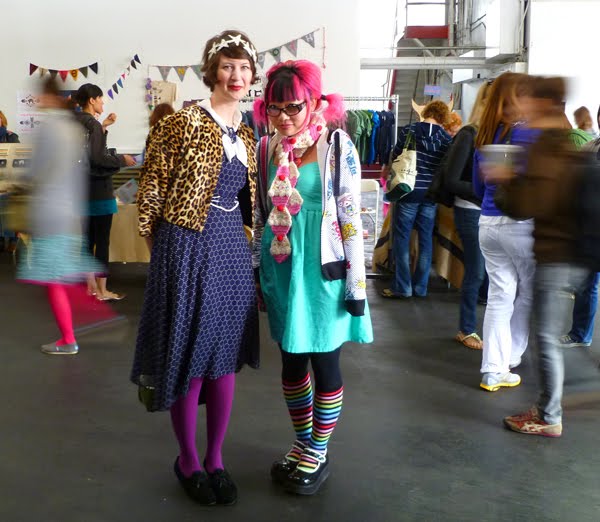
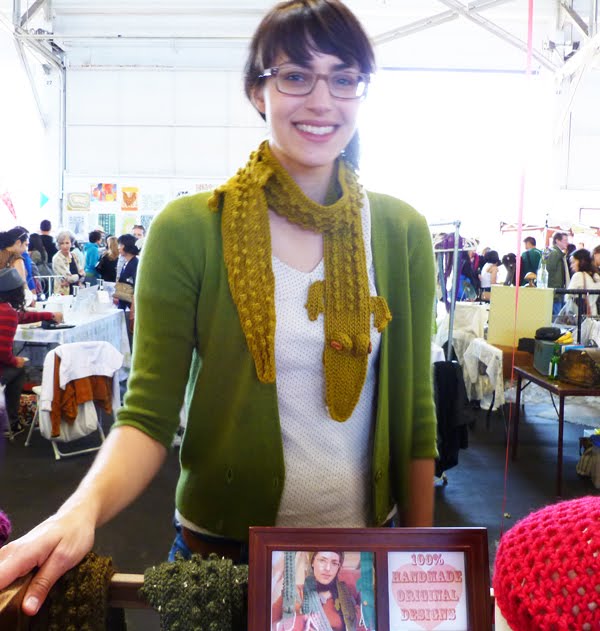
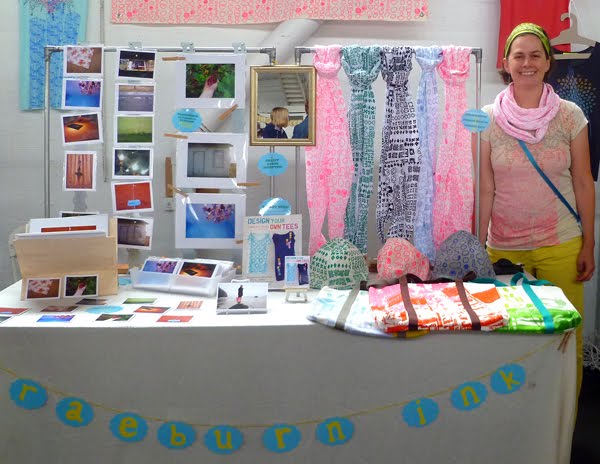
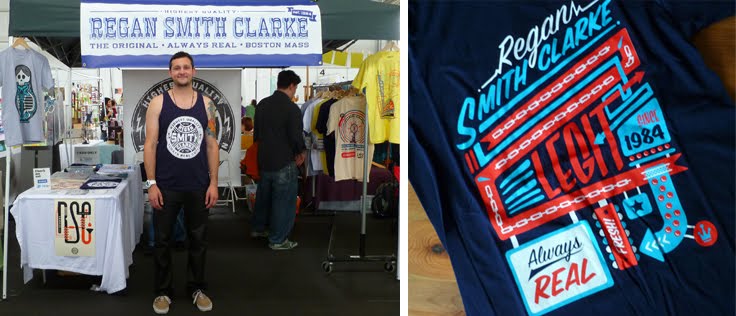
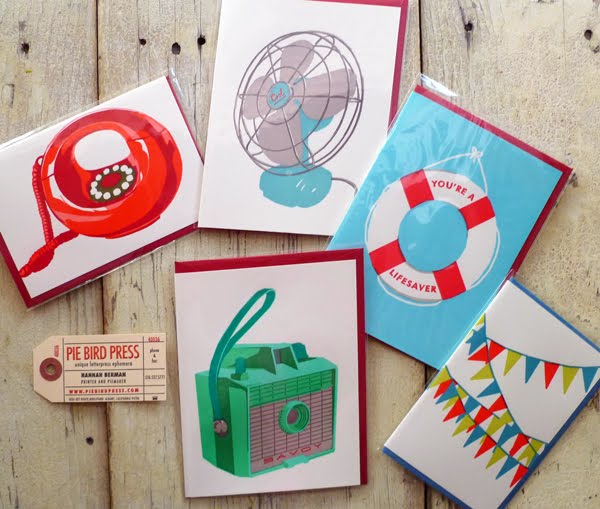
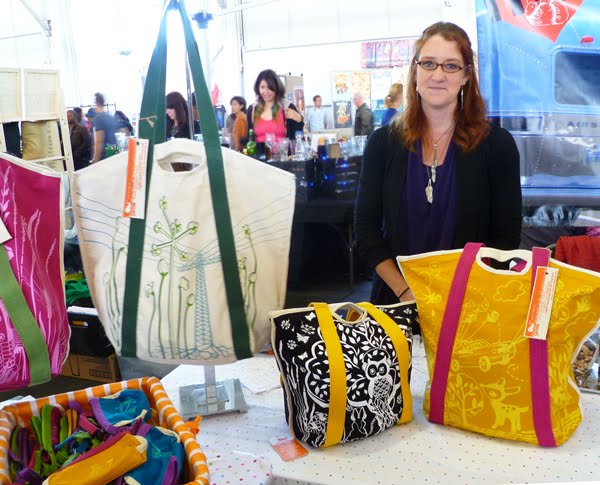
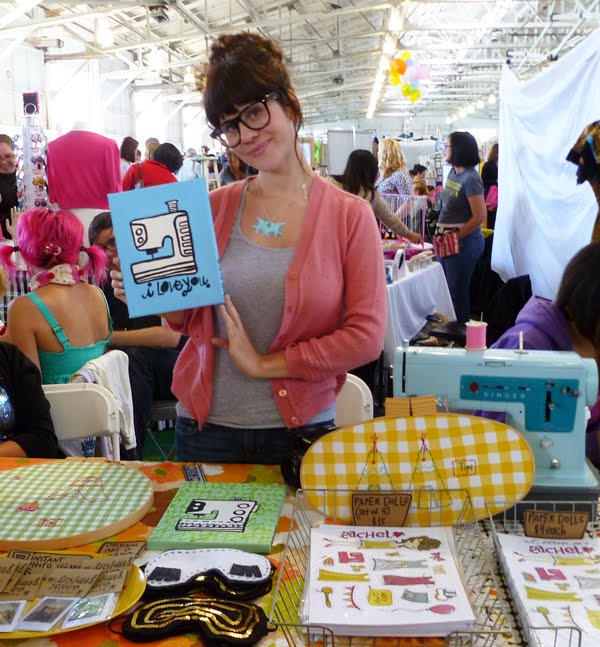
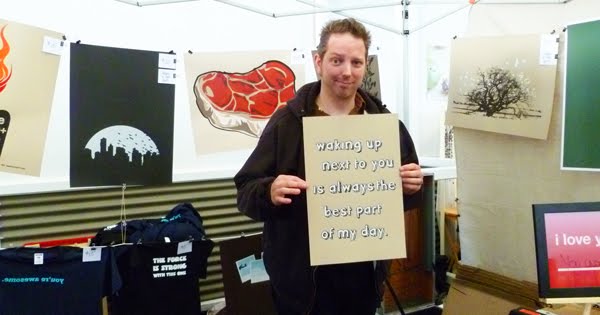
I couldn’t help but stop two fashion plates for a quick photo. Sue Eggen of Giant Dwarf Design and Twinkie Chan had become friends online but this was their first meeting in person. I’ll bet that happens a lot at these shows.Michelle McCoskey was sporting her brilliant gator scarf. One of the coolest online stores/websites that I LOVE, ReForm School, was there in full form with Tootie, Billie and little Tallulah.Artist/Photographer Sean Finocchio of 33 Stewart Avenue was my pick for best art of the show. I’ll be putting his website link under my husband’s nose around November in time to order my Birthday/Christmas gift. I had a lovely visit with Jennifer Cooke of raeburn ink. I pored page by page through Jennifer’s fantastic new book, Design Your Own Tees. Definite recommend!Forgot to ask his name, but I bought that gorgeous blue-on-blue design T-shirt in the top row for my daughter, Sarah, from this handsome gentleman of maryink. Sarah headed off to church camp wearing it this morning.I bought a rockin’ T from hot-young-designer Regan Smith Clarke for my other two kids to fight over.I snagged up these delicious greeting cards with retro letterpress graphics by printer/piemaker Hannah Berman of Pie Bird Press. Aren’t they great! Major highlight of my day was meeting super-nice Robert Mahar of Mahar Drygoods. If you’ve never been to his website, stop everything, go now! (Ok, then come back here again…) I snagged that gorgeous yellow strap/white-on-black owl tote illustrated and crafted by artist Shana Kent of Survive Design. Should have been my first purchase as my hands were full by the time I found her! Isn’t it fabulous?I could NOT resist this original acrylic on canvas painting by Elsie Flannigan of Red Velvet Art and A Beautiful Mess. Should it go in my studio? Should it go in my sewing nook? I can’t decide.Cutest Artist Couple/Most Talented Partnership award goes to designer/bookbinder/illustrator Erin Zamrzla of erinzam and husband, artist/illustrator Ben Schlitter of Studio BenBen. Talk about complimenting styles! Super nice folk.Rick of Seattle Show Posters cracked me up. His prints were the best and I grabbed the very sweet, waking up next to you is always the best part of my day print for hanging in our master bedroom. (Thanks for making me laugh, Rick!)The “MADE MY DAY” award, hands down, goes to sweet Margaret Haas of Paper Pastries. There with her boyfriend, Tony, she made me feel like a superstar celebrity, to the point of blushing. When you check out HER shop, you’ll see why I was sooo flattered! (Thank you Margaret, very wonderful to meet YOU!!)I purchased this beautiful One Waywoodblock mount from Photographer Misha Ashton. Shot in Vatican City, Italy, this incredible piece will be going straight into my studio, pointing up.Other great peeps I had the pleasure of visiting with were:
• Nicole Lavelle of Scout Books. Check out their website and see how you can publish your own pocket notebooks. Remember, you can NEVER have enough sketchbooks.
• Cristin Bisbee Priest of Simplified Bee. She does home organization and design. Absolutely delightful.
• Jessica Herning, husband and baby Scarlet, of a little birdie told moi. Precious family, precious goods.
• And so many, many others- just the kindest, most talented group of artists, designers, crafters, and photographers you could ever imagine in one place.
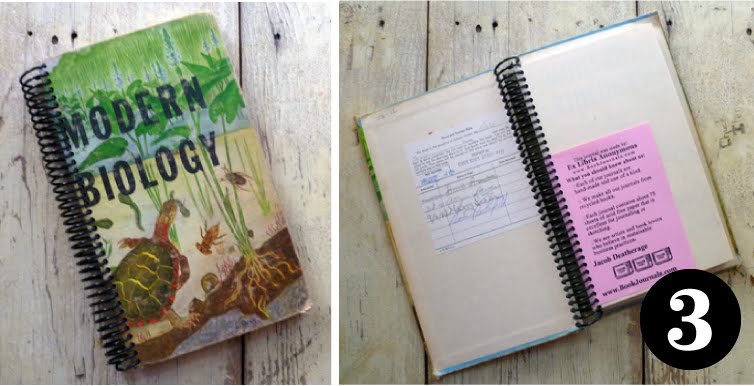
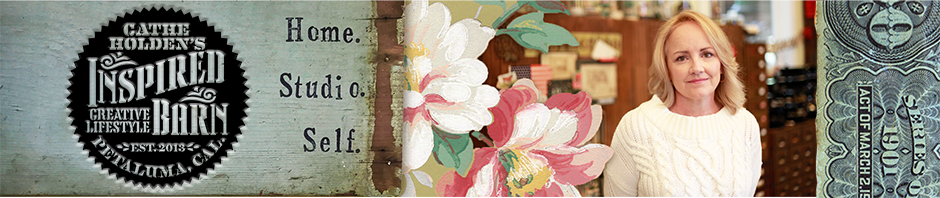
But no Renegade Craft Fair SFwould ever be the same without Jacob Storm Deatherage’s popular book journals. Fun and funky vintage books turned into blank page journals. He even keeps some of the original book pages and places them throughout the binding. It took forever for me to even get a good photo of this guy, the crowd around his table was constant and hard to get through. I met him this time last year and he was kind enough to send me two awesome books to keep for myself and two to give away. Yesterday, he sent me home with FOUR book journals to giveaway to my readers! Could he be any nicer? (Thank you Jacob!)
Here are the choices, leave a comment and let me know your first and second choice and I’ll draw random winners on Friday, August 6. Deadline to enter is Midnight Thursday, August 5.Where YOU at the Renegade Craft Fair this weekend? Share your favorites! Didn’t make it? Don’t worry, they’ll be back for a SF holiday fair in December, or check out the show coming to a city near you!
UPDATE: The giveaway is closed and the winners are below and have been contacted. Thanks everyone for participating- so many more fantastic giveaways to come, so be sure to visit often!!
UPDATE 10/1/10: Now that I’ve moved my entire blog to WordPress, this post is not completely relevant, but I am leaving up as it may still be helpful to some.
Blogger. Blogspot. Whichever. Both. Same thing. It’s where I started. It’s where I remain.
I’m not a techie, seriously. I know I’ve somehow managed to impress a few of you with that whole e-mail button gadget thing, but seriously, I can’t even remember how I ever figured that out in the first place, but I’m sure I read about it somewhere online. Though I wish I did, I simply don’t have it in my budget to hire someone to walk me through all the technical blogging ins and outs. I believe I’ve got my post content pretty nailed down, but too often I need to figure out some way of modifying my blog outside of the basic Blogger constrictions. Such as converting to 3-columns (which is now available from Blogger, awesome), or tightening the space between my sidebar gadgets, adding a signature to my posts, and adding other stuff here and there. Typepad and WordPress have features available that Blogger doesn’t, but they both seem so much more complicated to me. Blogger is so user friendly and everything I needed to learn outside of what they can offer me I have found by Google searching my questions, for example, “How to hide the Google Navigation bar on my blog”. There are always answers and usually if you patiently search a while you can find very simple tutorials on tinkering around with the HTML of your blog, whether you (like me) understand the whole HTML thing or not.
When working on your blog’s design/layout, you should always save a copy of your HTML as it is before you start messing with it, in case you goof up. Blogger allows you to download a full template of your HTML, but I usually cut and paste the entire HTML section into an email draft, date it and save it. Then if I get confused and have already changed my code for good, I can always go back and replace it with my earlier version. The best thing to do, of course, when tinkering with your HTML is to only preview the changes, and not save them until you’re completely sure you like it.
My biggest challenge to date is posting PDF files of graphics in Blogger. Files in PDF format allow me to share vector* graphics (line-art) for those of you that want to manipulate the artwork with your design software. JPEG (raster*) files are great for images such as photos or scanned vintage postcards, for example, that can be altered with photo editing software. But enlarging a JPEG image from the original file size can create an ugly problem. *If you’re not familiar with vector files or what they are for, check out the podscast from CreativeCow.net. Other blog platforms, such as Typepad and WordPress allow you to do this effortlessly. Unfortunately, hosting PDF files is not an option for Blogger. And since there’s no EASY button on your computer, I’ve resorted to using 3rd party sites to host my PDF files. I’ve created a Google Group which allows me to upload PDF files and share their link from my blog post. The problem with that is that when the PDF file is being accessed by more than one person at the same time, it jams all up and someone gets a “bandwidth exceeded” notice and they are unable to access the file. Then I get emails.
It was recommended on several blogs I’ve read to use the site Scribd for sharing PDF files. It’s a pretty fun site- you can upload your files and direct peeps right to your files hosted there. That works great for me, but I have no doubt it annoys some of my readers to have to sign up with Scribd just to get the files. Then, today, I received a comment on one of my older blog posts noting that Scribd was charging a fee for the “archived” file. Yikes! That’s no good!
So, until the blog police come knocking on my door, or my new brilliant idea goes down in a ball of flames due to some glitch I can’t imagine at this point, I have created my own solution for hosting PDF files for immediate download from my Blogger blog. Are you ready for this- I created an entire new blog over in WordPress just for the sake of uploading PDF files. THAT I can figure out on WP. Once I upload them on WP, I grab the URL of the PDF and paste it as a link to the just for-show-JPG-image or thumbnail I’ve placed in my blog post on Blogger.
Did that make sense?
And by the way, it certainly can’t hurt to claim your blog’s name on the other blog platforms out there just for safe-keeping. Again, I may be summoned to appear in blog court over all of this manipulation of blog sites, and I really don’t want to cheat the system illegally (bloggerly speaking,) but I’m kinda patting myself on the back for finally coming up with a solution to the no PDF file hosting problem with Blogger. (Likely others have been troubleshooting this way before me and I’m not all that ingenious after all.)
So, now the work begins…I will slowly but surely go back into all my previous posts and change out the PDF downloads to be accessed through my new WordPress blog. Ultimately, you shouldn’t notice anything but ease now when clicking on free PDF images to download, no re-direction, no sites to sign up with, just a click to download. However, this could take months for me to do as I will get to each file as I can, in and out of projects and other life commitments, so thank you in advance for your patience in dealing with the files as they are.
To get the party started, here’s a PDF file for you to try out. Click on the image and let me know how it goes.
And… an important reminder for you bloggers, crafters, artists, designers out there:
Start branding your name TODAY!
• Create a blog with YOUR name on it, like I did: catheholden.blogspot.com . It’s free, and even if you already have a blog by another name, get one or more with your name. You don’t have to use it right away, or I suppose- at all, but it’s there when and if you need it one day, or to keep others from snagging it should you become famous, (if you’re not already.)
• Register a domain name with your name, such as catheholden.com, assuming you have a name that isn’t too common and already taken. Your name IS your ultimate brand, start owning it. I use GoDaddy.com to host all of my domains, cheap. They have a toll free number, pick up the phone and talk to a real person who can walk you through purchasing your domain and answering even your lamest, most rookie questions, they are GREAT!
Oh, and you Blogspot Bloggers- here’s another little nugget that took me way to long to figure out, but finally did with the help of my Typepad friend, Apron Thrift Girl:How to create multiple pages in Blogger. The solution is crazy simple: when signed in, go toblogger in draft. On your DESIGN page, you’ll find a gadget for PAGES in the layout!
UPDATE: The first two comments to this post brought up the question of creating posts for a later date. It’s easier than you think, click on my image below!ANOTHER UPDATE: Well it didn’t take too long for my WordPress PDF idea to fail. I’m already getting emails that there is trouble with those files uploading. BUT the good news is that I’ve gotten some GREAT advice in the comments, so I am giving Google Docs a try, starting with the cheese labels of the previous post. I’ll get to the others as I can. In the meantime, if you are having any trouble with files, just email me.


 When my sweet Aunt Erma, my dad’s only sibling, passed away a few years ago, I visited her home and brought back this handsome lanky soldier that my dad carved for her some time ago. I think he is just beautiful and he makes me think of the love they always had for one another.
 This little horsey makes me smile.
 If he’s sitting at just the right height, he gives me a look kinda like my dad would. You know the look.
 Dad even gave him horseshoes and his own personal brand.
  And this head is very cool. When he gave it to me to take home, he expected me to paint it. I think about painting it all the time. I’ve thought about it for probably 8 years. Maybe making it into a puppet or something. But see the patching around the eyes? That’s where my dad replaced the eye sections and made them more to his liking than the original eyes he made. He puttied and sanded smooth the seams so perfectly that by only touch you would never ever know they had been replaced. I guess I just don’t want to hide what a great job he did of fixing them and think he’s perfect just the way he is. I think he even looks like my dad.
  And then there’s the sign he carved that I walk by a dozen times a day as it hangs on my daughter Jamie’s bedroom door. I adore it because my dad IS Popeye, right down to the big sailor tattooed forearms. I think for a quote that came from a cartoon character, it’s quite profound.
 I asked my dad if he would mind if I shared it with my readers, I think he was delighted. So I made it small enough for your sidebar. If you’d like to take it or the larger one, feel free.